Gallery
See LVChat in Action
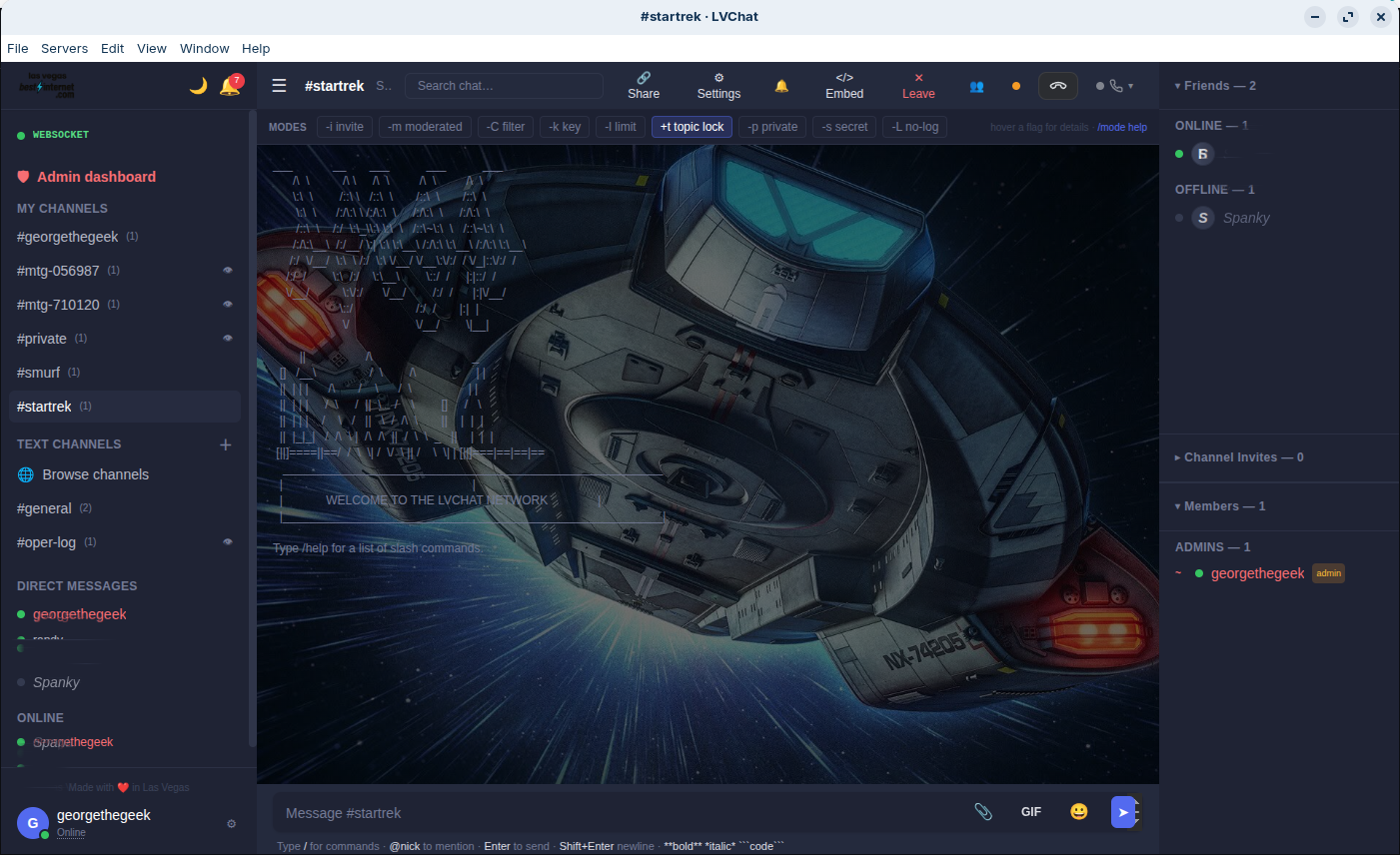
LVChat Web
The full chat experience — channels, sidebar, mode bar, friends panel, and message composer.
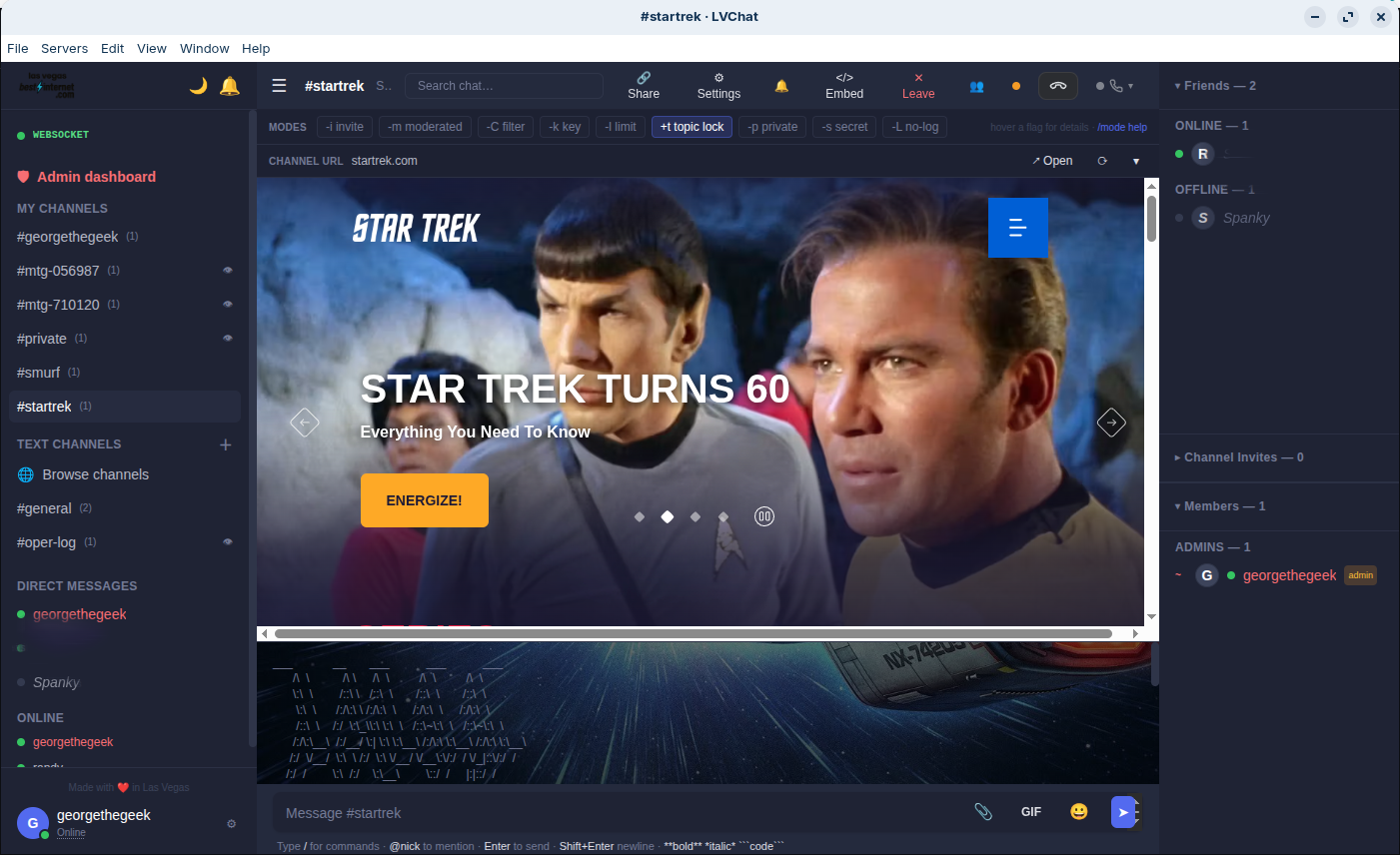
URL Embeds
Paste any URL and LVChat fetches the title, description, and thumbnail — proxied for privacy.
Four clients, one server. Use the web app, install the desktop client, or grab the messenger — all connecting to the same backend.
The full-featured web client with channels, DMs, themes, and moderation. Works in any modern browser.
Try Live → Learn MoreIM-first web PWA with buddy list, contact groups, and focused DMs. Think AIM meets modern web.
Try Live → Learn MoreNative Electron app with multi-profile support, OS notifications, system tray, and auto-updates.
⬇ Download Learn MorePidgin-style buddy list with dedicated chat windows. Classic IM experience, modern internals.
⬇ Download Learn MoreThe full chat experience — channels, sidebar, mode bar, friends panel, and message composer.
Paste any URL and LVChat fetches the title, description, and thumbnail — proxied for privacy.
Get the native experience on macOS, Windows, or Linux.